

Manual vs Automated Conference Management: Which One Should You Choose?
Introduction
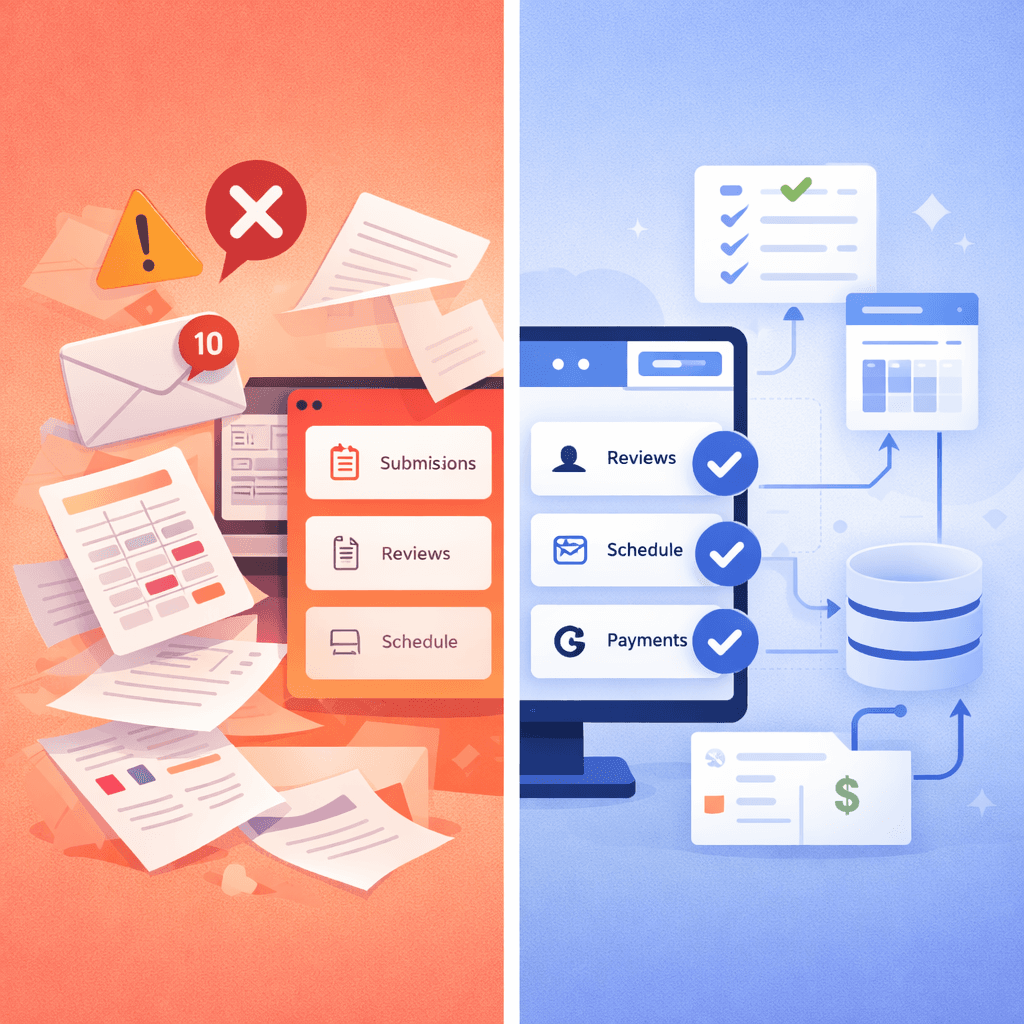
Picture the scene: it's 11 PM, two weeks before your conference. Your inbox has 340 unread messages. Someone just emailed to ask whether their paper was received — the fourth time this week. Three reviewers haven't submitted their scores and the deadline was yesterday. Your shared Google Drive has six versions of the submissions spreadsheet, none of which is clearly labeled as the final one. And you still haven't started building the schedule.
If this sounds familiar, you're in good company. Thousands of academic conference organizers run their events this way every year — not because they enjoy the chaos, but because "this is how we've always done it." Manual conference management has been the default for decades, and many organizers don't realize there's a better way until they're already knee-deep in email threads and conflicting spreadsheets.
But in 2026, you have a choice. Modern automated conference management platforms can handle the vast majority of administrative work — submissions, reviewer assignments, notifications, scheduling, payments, and certificate generation — with little to no manual intervention. The question is no longer whether automation works. It does. The real question is: when does it make sense for your conference?
In this guide, we'll break down exactly what manual and automated conference management look like in practice, compare them head to head across every key dimension, and give you a clear framework for deciding which approach is right for your event — right now.
Key Insight: The right approach isn't always "fully automated" — but knowing where manual work breaks down can save you dozens of hours.
Quick Summary
- Manual conference management relies on email, spreadsheets, and ad-hoc tools — it works for very small events but breaks down fast
- Automated platforms handle submissions, reviewer matching, notifications, scheduling, payments, and certificates in one unified system
- The tipping point is roughly 30–50 submissions — beyond that, manual processes cost more in time than any platform fee
- A medium-sized conference (80 submissions, 200 registrants) can save 40–65 hours of organizer time by switching to automation
- Manual errors — missed reviews, payment mismatches, certificate typos — damage conference credibility in ways spreadsheets can't prevent
- If your conference involves payments, multiple reviewers, or multi-track scheduling, automation is no longer optional
- Modern platforms like Confairo let you set up a full conference in minutes, not days — and reuse the same workflow every year
What is Manual Conference Management?
Manual conference management is exactly what it sounds like: running your conference using general-purpose tools — primarily email, spreadsheets, and file-sharing platforms — with human effort filling in all the gaps.
In practice, this typically means:
Email-Based Submission Collection
Authors submit their papers directly to an email address — often something like conference2026@gmail.com. The organizer or a committee member downloads each attachment manually, renames the files, and adds the submission details to a spreadsheet. When authors send revised versions or ask for confirmation, each exchange is handled individually. At 20 submissions this is manageable. At 80, it becomes a second job.
Spreadsheet-Based Tracking
The backbone of most manual conference management operations is a spreadsheet (Excel or Google Sheets). There's usually one for submissions, one for reviewer assignments, one for payment tracking, and one for the schedule. Each spreadsheet starts clean and organized. By the time the conference is three weeks away, there are six versions with names like final_v3_REAL.xlsx and nobody's quite sure which one is accurate.
Manual Reviewer Assignment and Tracking
Matching papers to reviewers is done by hand — usually by the program chair, who reads through abstracts and mentally cross-references expertise areas. Conflicts of interest are checked manually (if at all). Workload balancing comes down to best-guess estimates. Reviewer reminders are sent as individual emails when someone remembers to write them. If a reviewer drops out, the reassignment process starts from scratch.
Ad-Hoc Communication
Every notification — submission confirmation, acceptance letter, review reminder, camera-ready instructions — is written and sent manually. Sometimes this works via a shared Gmail account. Sometimes it's a mass BCC email. Sometimes it's a WhatsApp message to the organizing committee. The result is inconsistent, hard to track, and guaranteed to generate follow-up questions from confused participants.
What is Automated Conference Management?
Automated conference management uses purpose-built software platforms to handle the end-to-end conference workflow — from the moment submissions open to the day participants receive their certificates.
Rather than stitching together email and spreadsheets, an automated system provides:
A Structured Submission Portal
Authors submit through a dedicated web portal that captures structured metadata (title, abstract, keywords, author affiliations), validates file formats, enforces formatting requirements, and sends automatic confirmation emails — without any organizer involvement. Every submission is logged, timestamped, and immediately visible in a real-time dashboard.
Intelligent Reviewer Management
Automated platforms support keyword-based or expertise-based reviewer matching, conflict-of-interest detection, and workload balancing. Many include bidding systems where reviewers express their interest in particular papers, leading to better matches and more engaged reviewers. Deadline reminders are sent automatically — no manual nudging required.
Workflow Automation
Every status change in an automated system triggers the appropriate communication. A submission is received → confirmation email goes out. A decision is made → notification is sent to the author. A reviewer assignment is created → the reviewer gets an invitation with instructions. These automations eliminate the manual email writing that consumes hours of organizer time across the conference lifecycle.
Integrated Scheduling, Payments, and Certificates
Modern platforms like Confairo go beyond just submissions and reviews. They include visual schedule builders, integrated payment processing that links directly to registration records, and one-click certificate generation that produces personalized PDFs for hundreds of participants without a single copy-paste operation.
The result is a system where data flows automatically from one stage to the next — submissions become review assignments, accepted papers populate the schedule, registered participants receive certificates — all without the organizer acting as a human relay between disconnected tools.
For a deeper look at how the full academic conference workflow fits together, see our complete conference management guide.
Manual vs Automated: Side-by-Side Comparison
Here's how manual and automated approaches stack up across every dimension that matters to conference organizers:
| Aspect | Manual | Automated |
|---|---|---|
| Paper submission | Email inbox + manual file downloads | Dedicated portal with auto-confirmation |
| Submission tracking | Spreadsheet (constantly out of date) | Real-time dashboard |
| Reviewer assignment | Manual matching by program chair | Keyword/expertise-based matching + bidding |
| Conflict of interest detection | Manual check (often missed) | Automatic — built into the system |
| Review reminders | Written and sent manually | Automated at configurable intervals |
| Author notifications | Individual or BCC emails | Triggered automatically on status change |
| Schedule building | Excel trial-and-error | Visual drag-and-drop builder with conflict detection |
| Payment tracking | Bank statements + spreadsheet reconciliation | Integrated gateway with automatic receipts |
| Certificate generation | One-by-one in Canva or PowerPoint | Batch PDF generation from templates in seconds |
| Data consistency | Multiple disconnected sources — frequent conflicts | Single source of truth across all stages |
| Setup time | Low (just open Gmail and Excel) | Minutes to hours depending on platform |
| Scalability | Breaks down beyond ~30 submissions | Handles 50 to 5,000+ submissions |
| Organizer time cost | Very high — every task is manual | Low — most work is automated |
| Error rate | High — human error at every step | Low — data flows from system to system |
| Monetary cost | Near zero (tools are free) | Platform subscription or per-submission fee |
When Manual Still Works
It would be dishonest to say that automation is always the right answer. There are specific scenarios where manual conference management is perfectly adequate — and where the overhead of adopting a new platform isn't worth the benefit.
Very Small, Informal Events
If you're running a departmental workshop with 10–15 paper submissions, a single track, and an organizing committee of two or three people who all know each other, manual processes are workable. At this scale, a shared Google Drive and a simple submission form can handle the logistics without too much friction. The volume is low enough that human attention can cover the gaps.
One-Time Events With No Repeat
If this is the only time you'll ever run this particular event, the calculus changes. The investment of setting up and learning a new platform — even a simple one — may not pay off for a single 20-person symposium that will never happen again. In this case, the familiar tools win on practicality.
Events With No Peer Review
Some academic events — colloquiums, invited workshops, guest lecture series — don't involve a formal peer review process. When there's no reviewer management challenge, the complexity advantage of an automated platform is significantly reduced. Simple registration and communication can still be handled manually without major consequences.
Zero Budget
Many student-organized or volunteer-run conferences operate on minimal budgets. If there's no budget for software, manual tools are the default — and that's understandable. The priority then is to minimize complexity (one track, simple workflow) so that manual processes don't become overwhelming.
The key signal: if your conference has fewer than 30 submissions, a single track, and no formal review requirement, manual management is probably sufficient. But the moment any of these factors change, the equation shifts.
When You Need Automation
There is a clear tipping point where manual conference management stops being "manageable" and starts being "a disaster waiting to happen." Here are the signals that you've crossed that line:
50+ Submissions
This is roughly where manual tracking breaks down. Once you have 50 or more submissions, a spreadsheet becomes unreliable as a central record. Version control fails, updates get missed, and the risk of losing a submission or double-processing one becomes real. At this volume, a dedicated submission portal pays for itself in the first week.
Multiple Reviewers and Tracks
As soon as you have more than 10 reviewers or more than one submission track, manual assignment and tracking becomes a full-time job. Balancing workloads, detecting conflicts, sending reminders, and tracking completion status across a reviewer pool of 30+ people is exactly the kind of systematic, repetitive task that automation was designed to eliminate.
Registration Fees and Payments Involved
As soon as money is involved, manual processes become a liability. Bank transfer reconciliation, receipt generation, tracking who has paid versus who has committed — these tasks require precision that spreadsheets don't reliably provide. Errors in payment tracking can have real financial and legal consequences for your institution. Integrated payment processing isn't just a convenience; it's risk management.
Multi-Day Events With Complex Schedules
If your conference spans multiple days with parallel sessions, keynotes, workshops, and social events, manual scheduling in Excel quickly becomes unmanageable. The constraint satisfaction problem of building a conflict-free program across 50+ papers is hard enough with a dedicated tool — without one, it's a guaranteed source of errors and last-minute chaos.
Your Team Is Burning Out
This is perhaps the most underrated signal. If your organizing committee — typically academics and students with other primary responsibilities — is spending 15–20 hours per week on conference administration during the peak period, that's a strong sign that manual processes are not scaling. Automation isn't just about efficiency; it's about the sustainability of volunteer organizer effort.
For a broader look at how tools compare at different scales, our 2026 conference management tools comparison covers the full landscape.
Cost vs Time Analysis: The Hidden Price of Manual Work
Manual conference management appears "free" because the tools are free. But this framing ignores the real cost: organizer time. And time, in the context of academic labor, is extremely valuable.
Quantifying the Manual Time Cost
Let's look at a typical medium-sized conference with 80 submissions, 30 reviewers, and 200 registrants:
| Task | Manual Time Estimate | Automated Time Estimate |
|---|---|---|
| Processing 80 email submissions | 8–12 hours | 0 hours (automatic) |
| Assigning 30 reviewers to 80 papers | 6–10 hours | 30–60 minutes (system-assisted) |
| Sending reviewer reminders (3 rounds) | 3–5 hours | 0 hours (automated) |
| Writing and sending author notifications | 4–6 hours | 0 hours (automated) |
| Building the conference schedule | 8–15 hours | 2–4 hours (visual builder) |
| Payment tracking and reconciliation | 6–10 hours | 0 hours (automated) |
| Generating 200 certificates | 8–12 hours | 15 minutes (batch generation) |
| Total | 43–70 hours | 2–5 hours |
That's potentially 60+ hours of saved organizer time per conference. For an academic running their own research program, that's not a minor efficiency gain — it's the difference between a sustainable conference and one that burns out the organizing committee.
The Hidden Costs of Manual Errors
Beyond raw time, manual processes carry a cost in errors — and errors have consequences:
- A missed reviewer assignment means a paper goes unreviewed, delaying the entire decision process
- A payment that's not recorded means a participant shows up to the conference with no confirmed registration
- A typo in a certificate means an embarrassed participant and a reputation that suffers
- A scheduling conflict discovered the morning of the event means a presenter is double-booked and someone's presentation doesn't happen
These errors don't just waste time to fix — they damage the credibility of the conference and the organizers running it. The "free" manual approach has real costs that simply don't show up on a line-item budget.
What Does a Platform Actually Cost?
Modern conference management platforms vary widely in pricing. Some charge per submission, others charge a flat monthly or annual fee, and some offer free tiers for smaller events. When you do the math against 60+ hours of saved organizer time, the ROI of even a moderately priced platform is clear — especially if the same conference runs annually and the time savings compound year over year.
Why Organizers Are Switching to Automated Systems
The shift from manual to automated conference management isn't a trend driven by technology for its own sake. It's driven by practical, lived experience — organizers who have done it manually and are done paying that cost.
The Professionalization of Academic Conferences
Participant expectations have risen significantly. In 2026, authors expect a modern submission portal, not an email address. Reviewers expect a clean dashboard, not a Google Form. Attendees expect professional certificates and polished scheduling — the kind of experience they've come to expect from well-run events. Manual workflows increasingly fail to meet these expectations, and the gap between "informal workshop" and "professional conference" is increasingly defined by the tools used to run them.
The Volume Problem
Academic conferences are growing. Cross-disciplinary research, open-access publishing, and remote participation have all contributed to increasing submission volumes across most fields. A conference that received 40 submissions in 2018 might receive 120 today. Manual workflows that barely worked at 40 submissions simply fail at 120. Automation is the only practical way to scale without proportionally scaling the organizing committee.
The Reproducibility of Modern Workflows
Once you've set up an automated conference workflow on a good platform — your submission form, your review rubric, your email templates, your certificate design — you can reuse the entire configuration for your next conference. The second event takes a fraction of the time to set up compared to the first. Over time, your conference operation gets more efficient, not less, because you're building on a reproducible system rather than reinventing the spreadsheet every year.
Where Confairo Fits In
This is precisely the problem Confairo was designed to solve. Built by academics who had experienced the fragmentation problem firsthand — running events on EasyChair + Google Forms + Excel + Canva + PayPal + manual emails — Confairo consolidates the entire conference lifecycle into a single modern platform.
What makes Confairo different from legacy tools isn't just feature coverage — it's the philosophy. The platform is designed to get out of the organizer's way. Set up is measured in minutes, not days. The interface is built for people who want to run conferences, not learn new software. And because everything lives in one system, data flows automatically from submissions to reviews to scheduling to certificates — with no copy-paste required.
For organizers tired of the "five tools for one conference" problem, Confairo represents a genuinely different way of working — one where the platform handles the logistics and you focus on the academic quality of your event.
Conclusion: Making the Right Call
The choice between manual and automated conference management isn't binary — it's contextual. For very small, one-off events with minimal budget and under 30 submissions, manual approaches can work. But as soon as your conference crosses the threshold of meaningful scale — more submissions, more reviewers, payments, multi-track scheduling — manual management starts costing more than it saves.
Here's a simple framework for making the decision:
- Under 30 submissions, single track, no payments: Manual processes are manageable. Keep it simple.
- 30–80 submissions, multiple reviewers: You're at the tipping point. A platform will save significant time and prevent errors.
- 80+ submissions, multi-track, payments involved: Automation isn't optional — it's essential for running a credible, professional event.
If you're organizing a conference in 2026 and you're still on the fence, ask yourself one question: Would I rather spend the next three months manually managing email threads and spreadsheets, or would I rather spend 30 minutes setting up a system that handles it for you?
The answer is usually obvious once you frame it that way.
Run Your Next Conference Without the Manual Chaos
If your current conference management process involves more email threads than you'd like to admit, it's time to try a better way.
Confairo gives you a complete, modern conference management platform — paper submissions, peer review, scheduling, integrated payments, and certificate generation — all in one place. No spreadsheet juggling. No manual email campaigns. No certificate design at midnight.
Set up your conference in minutes and focus on what actually matters: the quality of your academic program.

Written by
Adnan Momin
Founder & Lead Developer
LinkedInAdnan Momin is the founder of Confairo, building tools that simplify conference management for academics worldwide.
Start managing your conferences with Confairo
From paper submissions to certificate generation — automate your entire conference workflow and save dozens of hours.
More from Confairo Blog
Continue exploring related articles
 Conferences
How to Manage Academic Conferences Efficiently (Complete Guide 2026)
A complete step-by-step guide for organizers — from call for papers to certificate generation. Learn modern workflows, AI automation, and how to eliminate conference management chaos.
 Conferences
Top 10 Academic Conference Management Tools in 2026 (Compared)
Compare the best academic conference management tools in 2026 — features, pros & cons, and find the right platform for your next conference.
 Conferences
10 Common Mistakes in Academic Conference Management (And How to Avoid Them)
Avoid these common conference management mistakes that lead to missed deadlines, lost submissions, and frustrated participants. Learn practical solutions for each one.

